Setting up alerts
You can set up a number of alerts to notify you of any problems with your backups.
Setting up alerts for one computer or server
From the homepage of the FASTcloudbackup web console click on My Data and then Settings for the computer/server you want to set up alerts for.

You will see the Alerts area on the right hand side of the screen.

There are four alerts you can choose to set up, by ticking the relevant box:
- No backup for at least 7 days
- Restore job failed
- Backup job failed
- Backup job exceeding 24 hours
Each alert will be sent as an email to your registered email address in the event of a problem.
To stop receiving alerts, simply untick the relevant box(es).
Setting up alerts for all computers or servers within your FASTcloudbackup end user account
From the homepage of the FASTcloudbackup web console click on your username in the top right corner, then Alerts. On this page you can set alerts which will apply to all the computers and servers you have being backed up within your account.
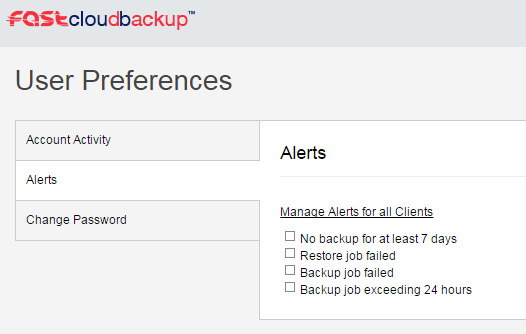
To stop receiving alerts, simply untick the relevant box(es).