Getting started
ANS Backup can be managed by selecting the server you want to manage within ANS Glass and selecting Backup from the tab menu.
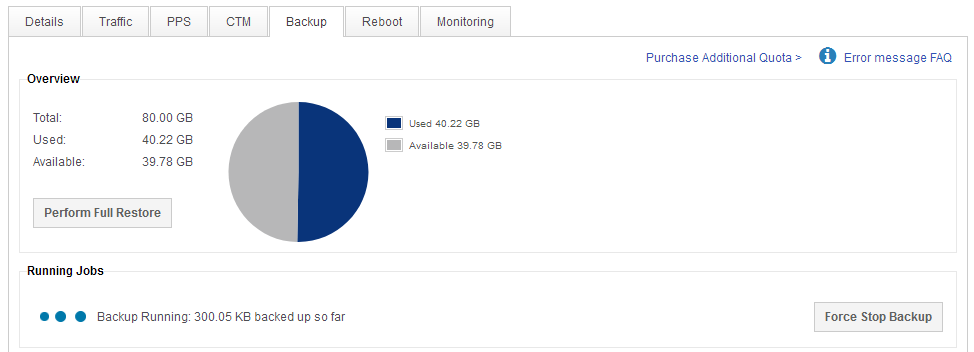
Overview provides information on your total, used and available backup quota and provides quick access to perform a full restore.
Running jobs is only visible when a backup or restore job is currently being processed.
Please note that Windows backups must wait for a system state to run on the client before files will begin to process, this often takes up to 20 minutes.
Default includes and excludes
ANS Backup comes pre-configured with a default backup schedule which includes all data from mounted disks and excludes certain files including:
-
Linux includes
/
-
Linux excludes
/proc/sys/tmp/.journal/.fsck/var/tmp/home/*/.trash/home/*/tmp/home/*/logs/home/*/wp-content/updraft/var/www/vhosts/*/wp-content/updraft/usr/local/psa/PMM/home/virtfs/var/McAfee/agent/logs/var/cpanel/modsec/modsec.sqlite/var/lib/clamav/daily.cld/var/crash/var/log/journal/var/log/atop/var/cache/backup/var/lib/psa/dumps/var/cpanel/php/sessions/var/lib/php/session/var/lib/mysql/*.bin/var/www/vhosts/*/logs/home/*/.cache/home/*/cache/var/www/*/.cache/var/www/*/cache/home/*/var/log/var/www/*/var/log/home/*/var/session/var/www/*/var/session/home/*/backup-*
-
Windows includes
[A-Z]:/
-
Windows excludes
[A-Z]:/System Volume Information[A-Z]:/$recycle binhiberfil[A-Z]: /pagefile.sys[A-Z]: /Windows/Temp[A-Z]: /Windows/Installer[A-Z]: /Users/*/AppData/Local/Microsoft/Windows/INetCache
You can create additional rules within the backup schedule.